
What is due today, the case queue, the agent's drafts waiting for approval and your inbox — on the same account and the same record as the web platform.
One file for every Android phone, 64-bit and older 32-bit alike. On an Android phone the download starts by itself.
Scan with your Android phone's camera. The download starts on the phone by itself.
On a computer? Install Avertyn on Windows or Mac. On iPhone? Use platform.avertyn.com in Safari.
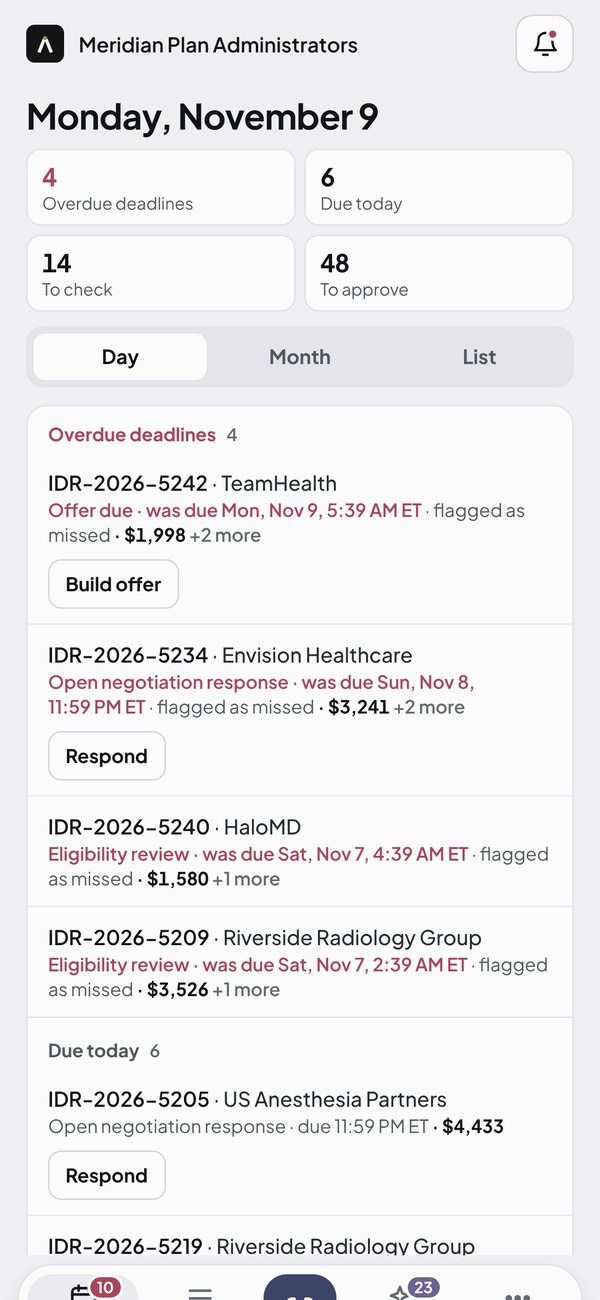
Due tomorrow, due within two hours, overdue — pushed to the person who owns the case, with the case one tap away.
Photograph a paper notice or open the PDF; the fields are read and the case is opened for you to confirm.
Review the agent's drafts and the approval queue. Nothing is sent without a person; payments still take two.
Today, Cases, Inbox and More: the phone and the web platform share one record, one role and one ledger.
On every launch the app checks that deadline and update alerts are not silenced, and shows a Fix button for anything the phone has turned off.
Sign in with your work email and a one-time code. The app can be locked with the phone's biometrics.
The app is installed directly from avertyn.com, so Android asks you to allow it once.
Open this page on your Android phone, or scan the QR code. The download starts by itself. If the browser warns about the file type, choose Download anyway.
Open the downloaded file. If Android says installs from this source are not allowed, tap Settings, turn on Allow from this source for your browser, then go back.
Tap Install, open Avertyn and sign in with your work email and the 6-digit code — no password. From then on the app downloads new versions in the background and asks for one tap to install.
Every Avertyn release is signed with the same key. To confirm a download, compare these fingerprints.
| File | SHA-256 |
|---|---|
| avertyn-android-f99fe10ac112.apk | f99fe10ac112e658529acf8f08daf388d5c85072fff58e83290f438792d76e49 |
| Signing certificate | A1:09:4F:EB:BA:20:12:36:4A:7C:47:02:06:4C:DA:E3:AD:E8:EB:80:C4:8B:07:0C:55:2A:0C:A7:53:F4:4B:36 |